The Accounts office
What it's for
Accounts is your back-office view of the money — the bills still owed to you, the credit notes you've issued, a searchable register of every bill, and (in India) your GST compliance. It's mostly a report, with a few actions for collecting or writing off what's outstanding.
This is the accounts office — receivables and compliance. It's not a cash drawer or day-close till; taking payment at service happens in the POS and Bills. Access needs the accounts permission (owner, admin, or finance roles).
Where to find it
Choose Accounts in the sidebar (route /accounts). It has four tabs:
Deferred Payments, Credit Notes,
Bills Register, and GST Compliance (shown in
India only).
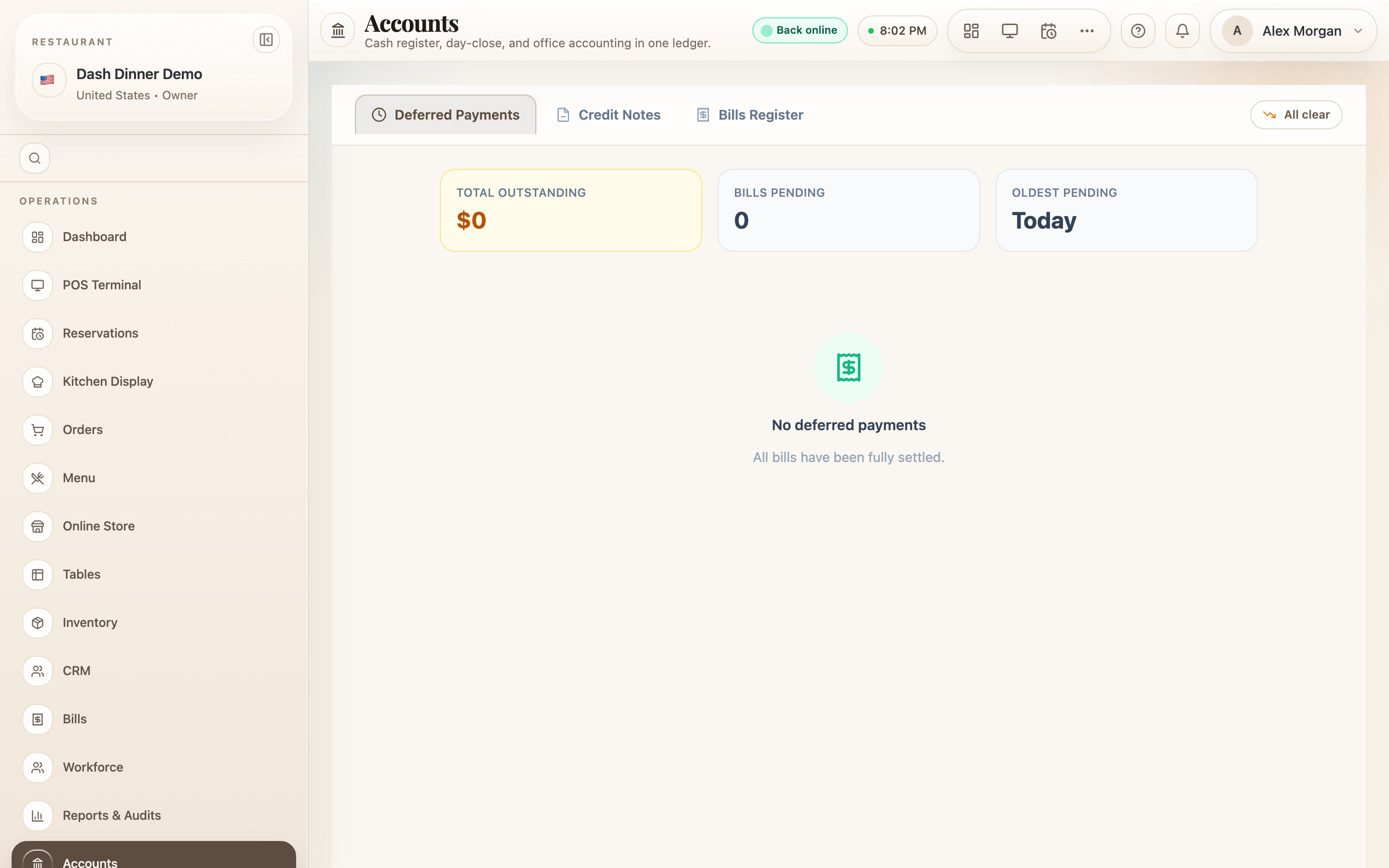
Deferred payments (money still owed)
This tab lists bills that aren't fully paid, with summary cards Total Outstanding, Bills Pending, and Oldest Pending, and an aging badge on each bill.
Two actions per bill:
- Collect Remaining — opens Collect Remaining Payment to record the balance now. Choose a Payment Method (Cash, UPI, Card, Wallet), enter the amount (or Full), and confirm — the bill settles.
- Write Off Balance — for genuinely unrecoverable amounts. This is owner-only and irreversible: you pick a reason (dispute, insolvency, goodwill, billing error…), tick the confirmation, and write it off.
Credit notes
Manage refunds and adjustments as credit notes, under sub-tabs Settled Bills — Eligible, Pending Approval, and Issued Credit Notes. To raise one, choose Issue New Credit Note, pick a reason (Food Quality, Wrong Order, Overcharged…) and refund method (Cash, Card Reversal, UPI, Store Credit, Adjustment).
A credit note above your auto-approve limit is held for manager/owner approval before it takes effect — you'll see it under Pending Approval to approve or reject.
Bills register
A searchable, read-only record of every bill. Set a date range, filter by All Methods or All Statuses, and search by bill or tax-invoice number. The table lists each bill's number, tax invoice, date, table/type, customer, method, total, status, and whether a credit note was issued — with the period's bill count and total.
GST compliance (India)
For Indian restaurants, this tab pulls your GST returns together — an Overview (Taxable Value, CGST/SGST collected, Total Tax Liability) and GSTR-1 / GSTR-3B summaries with due-date indicators, ready to file.
Worked example
Chase an unpaid bill. On Deferred Payments, find the oldest pending bill, choose Collect Remaining, take the balance in Cash, and confirm — Total Outstanding drops. If a small amount is truly unrecoverable, the owner can Write Off Balance with a reason.
Tips & things to watch
- ✅ Work the Deferred Payments tab regularly — it's your list of money still to collect.
- ✅ Use the Bills Register with a date range for a clean record of a day, week, or month.
- ⚠️ Write-off is permanent and owner-only — use it only for genuinely unrecoverable balances.
- ⚠️ This isn't a cash-drawer/day-close tool — it's receivables and compliance.