Audit trail
What it's for
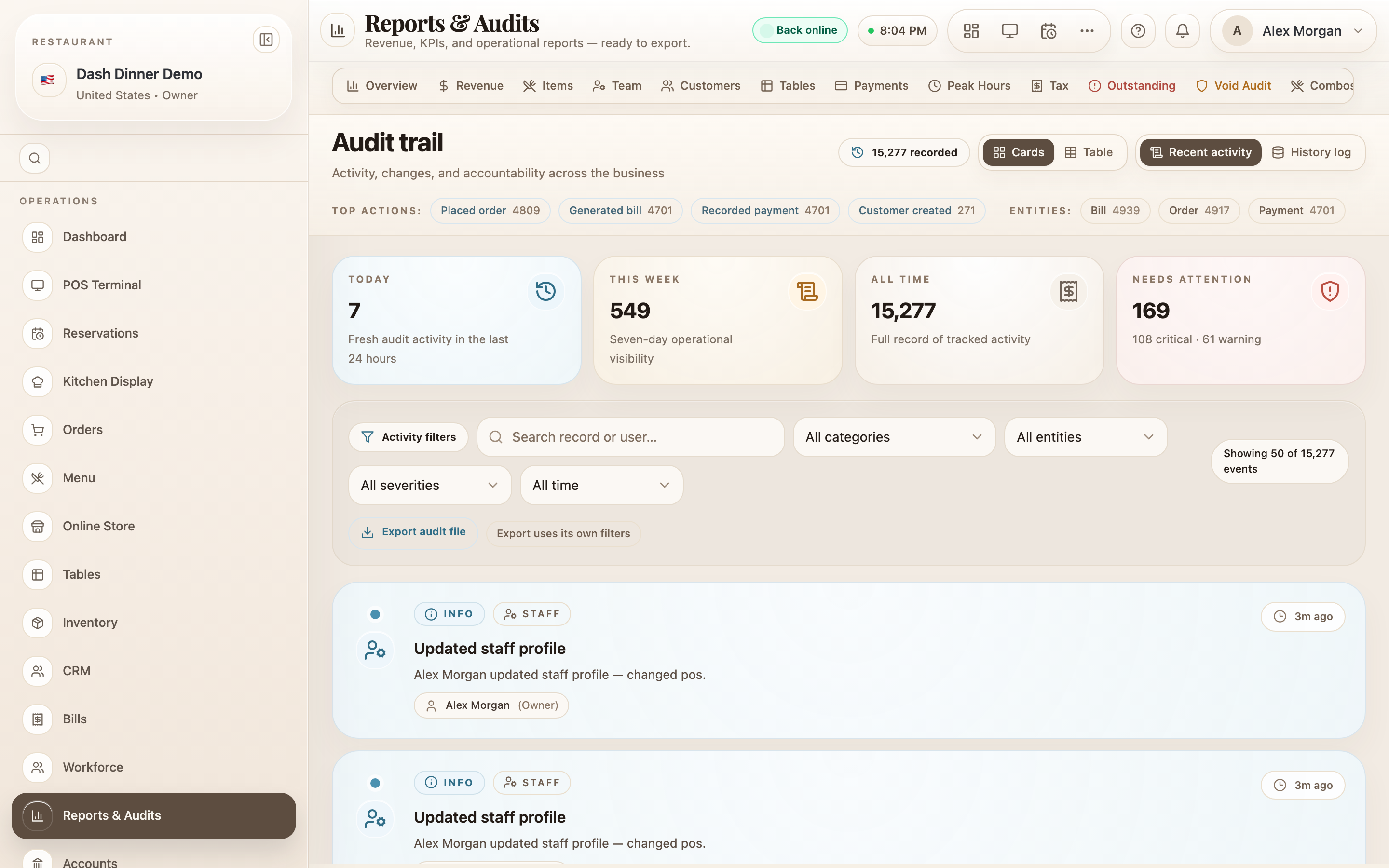
The Audit trail is the record of who did what, and when — every change across sales, menu, inventory, workforce, and settings. It's your accountability log for spotting mistakes, resolving disputes, and keeping the business honest. It's read-only — you can view and export it, but nothing here changes your data.
Where to find it
In Reports & Audits, choose the Audits
tab. (The old /audit link now opens here.) You'll need the audit-log permission to see it.
Reading the log
Two sub-tabs organise it:
- Recent activity — the current, detailed event feed.
- History log — the older activity log.
Switch between Cards and Table views. Stat cards summarise Today, This week, All time, and Needs attention. In table view, each row shows Time, Severity, Category, Entity, Action, Record, User, and Changes — expand a row to see the exact before/after of what changed.
Narrowing it down
Filter the feed by:
- Search — "Search record or user…".
- Category — Sales & Billing, Menu, Inventory & Procurement, Workforce, Front of House, or Customers & System.
- Entity — orders, bills, payments, menu items, ingredients, staff, tables, and many more.
- Severity — Critical, Warning, Info, Debug.
- Date range — Today, Last 7 days, Last 30 days, or All time.
A counter shows how many events match, and Clear filters resets them.
Export the audit
Use the Export audit file panel to download a filtered copy — it has its own filters (name, date range, entity, user, severity, action, keyword) and saves as .xls or .txt (up to 2,000 rows). Exporting only creates a copy; it never writes anything back into the history.
Worked example
Who comped that bill? On the Audits tab, set Category to Sales & Billing and Severity to Warning, find the void or discount event, and expand it to see the User who did it and the exact change — then export it for your records.
Tips & things to watch
- ✅ Filter by category and severity to cut a busy log down to what matters.
- ✅ Expand a row to see the precise before/after — not just that something changed.
- ⚠️ It's read-only. You can't edit or delete audit entries, which is the point — the record stays trustworthy.